Column-Level Data Security with Snowflake Tags
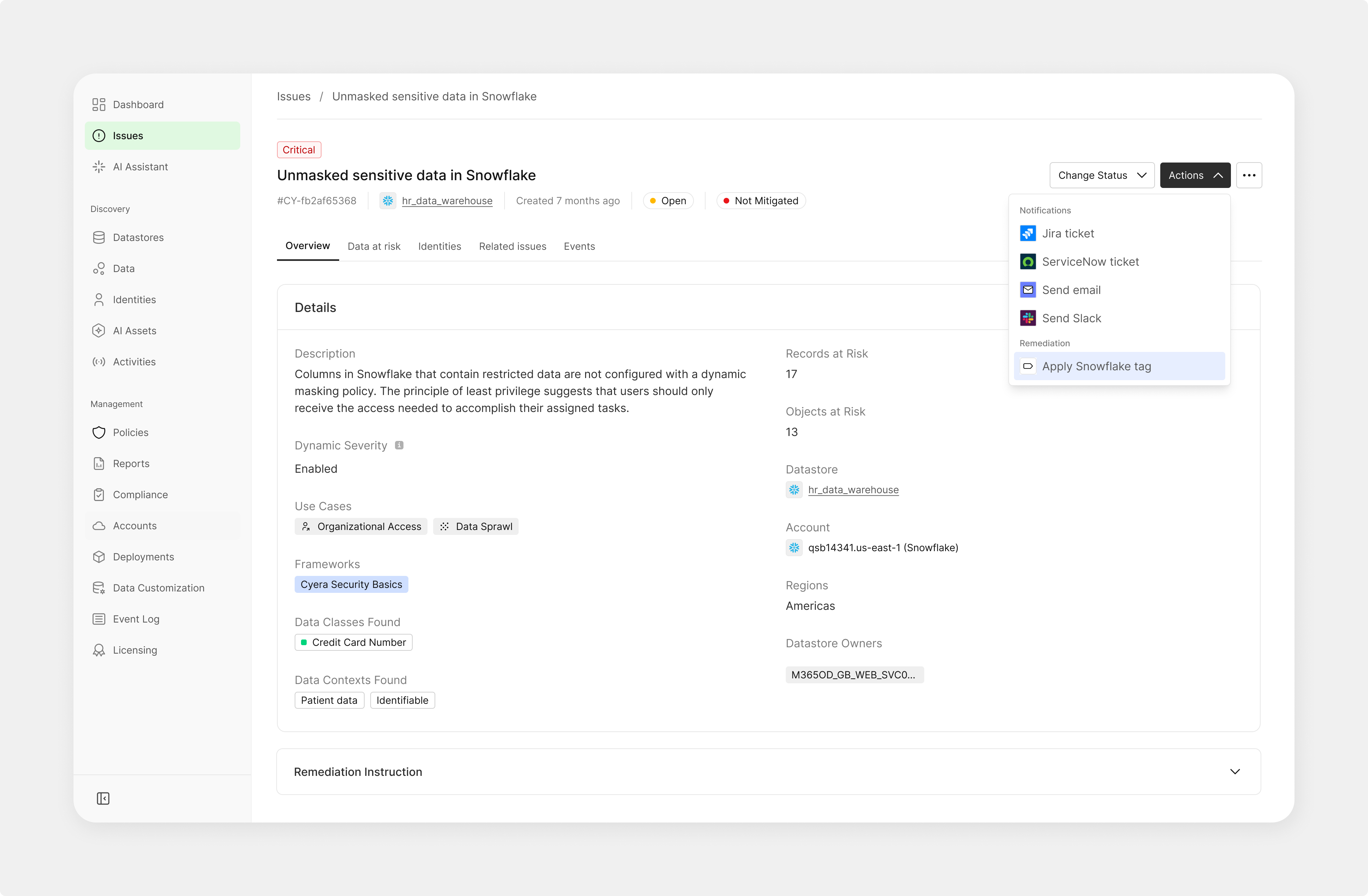
At Cyera, a data security platform (DSPM), I designed a feature that integrates Snowflake tags at the column level — enabling security teams to detect and remediate sensitive data exposure with greater precision and far less manual effort.
Security teams manage massive Snowflake environments where sensitive data is hard to locate and even harder to act on.
- Fragmented and manual tooling led to error-prone remediation workflows
- Sensitive data exposure was identified at the table level — too broad to act on precisely
- No clear remediation path: teams knew there was a problem, but not which column to fix
- Snowflake tags were already a core convention in customer environments — but not reflected in the product
I led the product direction and UX, focusing on three things: aligning with existing user workflows (Snowflake tags), simplifying decision-making by reducing cognitive load in high-stakes security environments, and prioritizing actionable remediation flows over exploratory ones.
A key strategic decision shaped the entire feature.
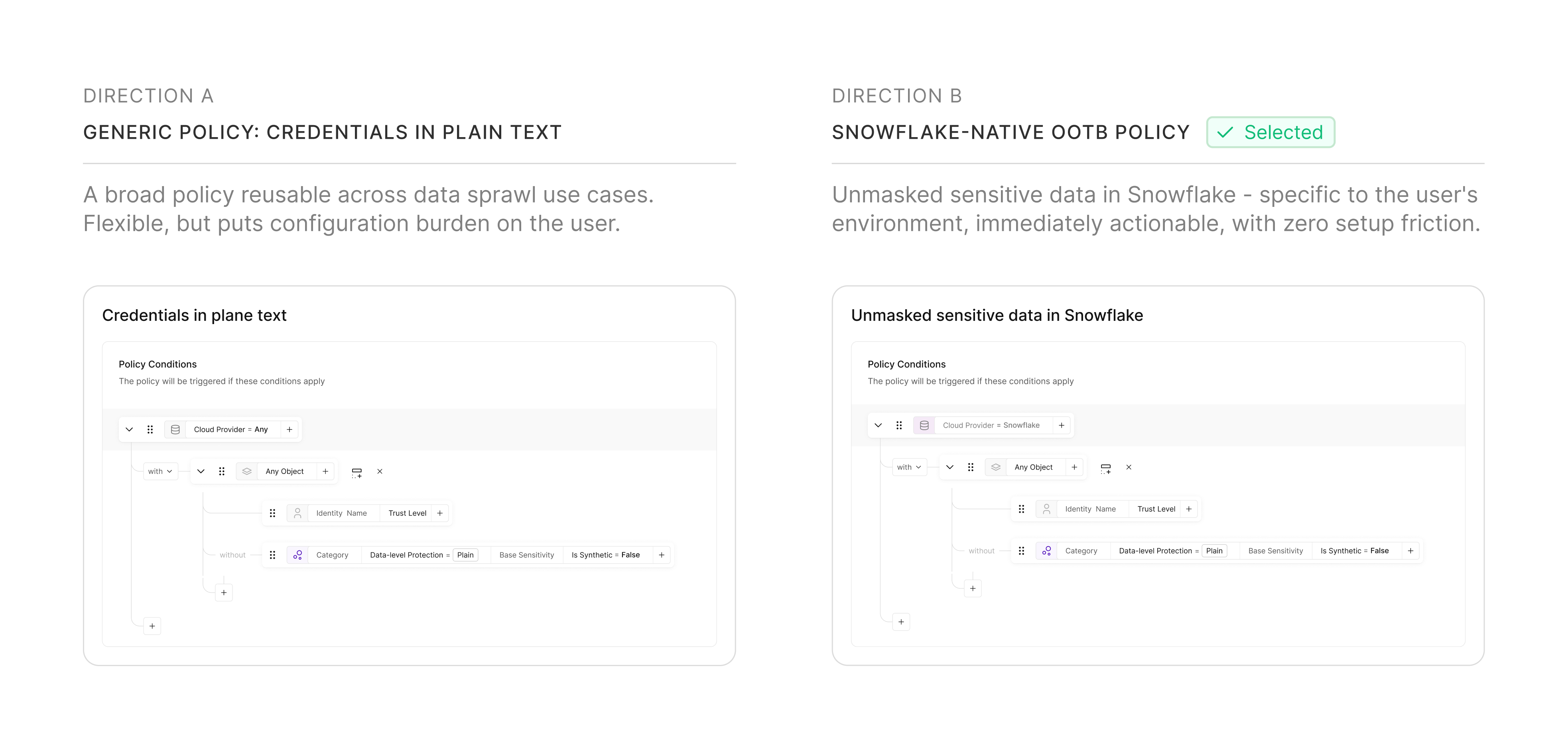
We chose specificity over generality. The generic approach offered reusability, but placed configuration burden on users already managing high complexity. The Snowflake-native policy matched how security teams think about their environment and made the policy immediately actionable — the template, not the starting point.
The design focused on three surfaces: a policy builder, an actionable issue view, and a system feedback loop.
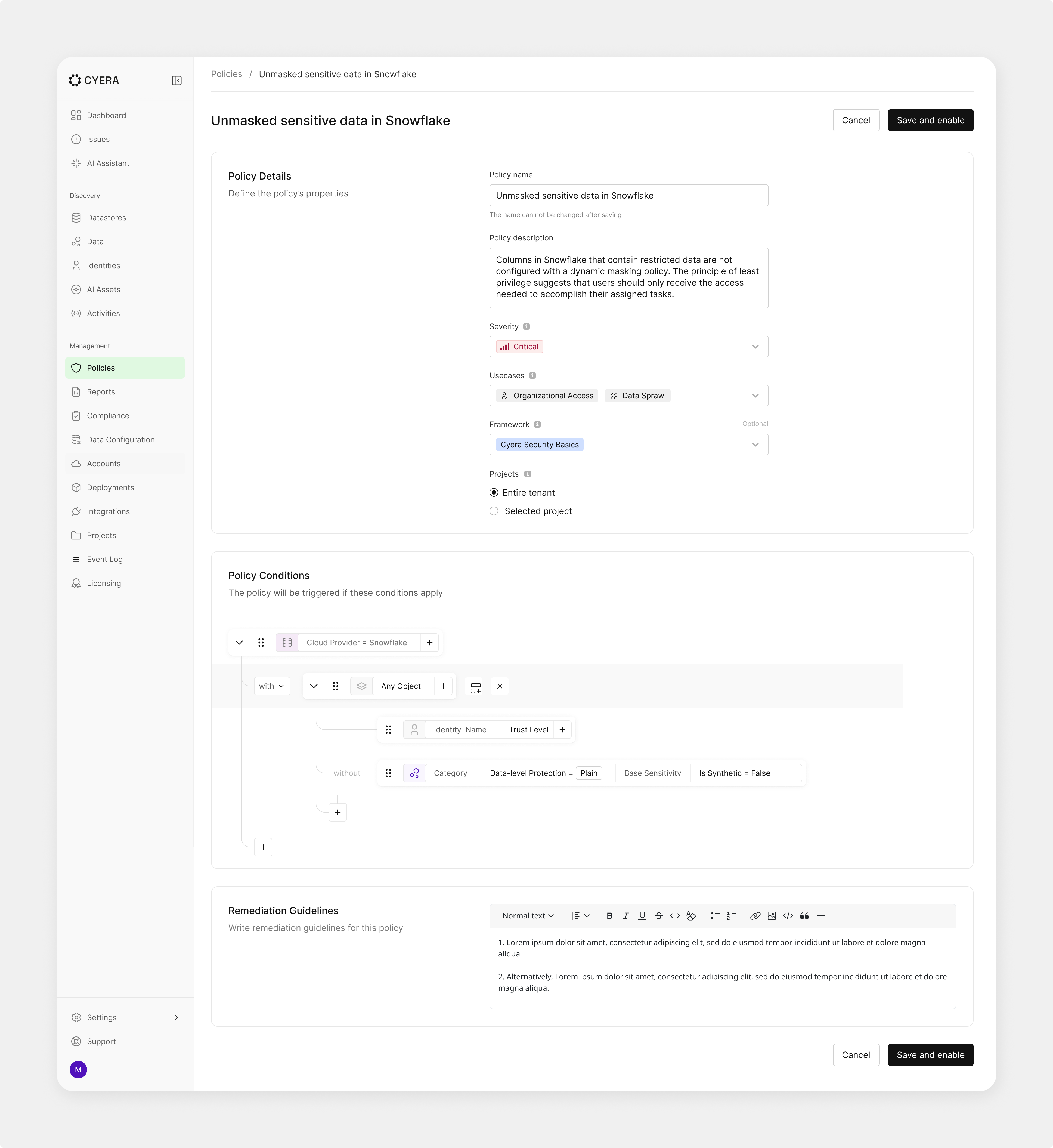
1. OOTB policy builder
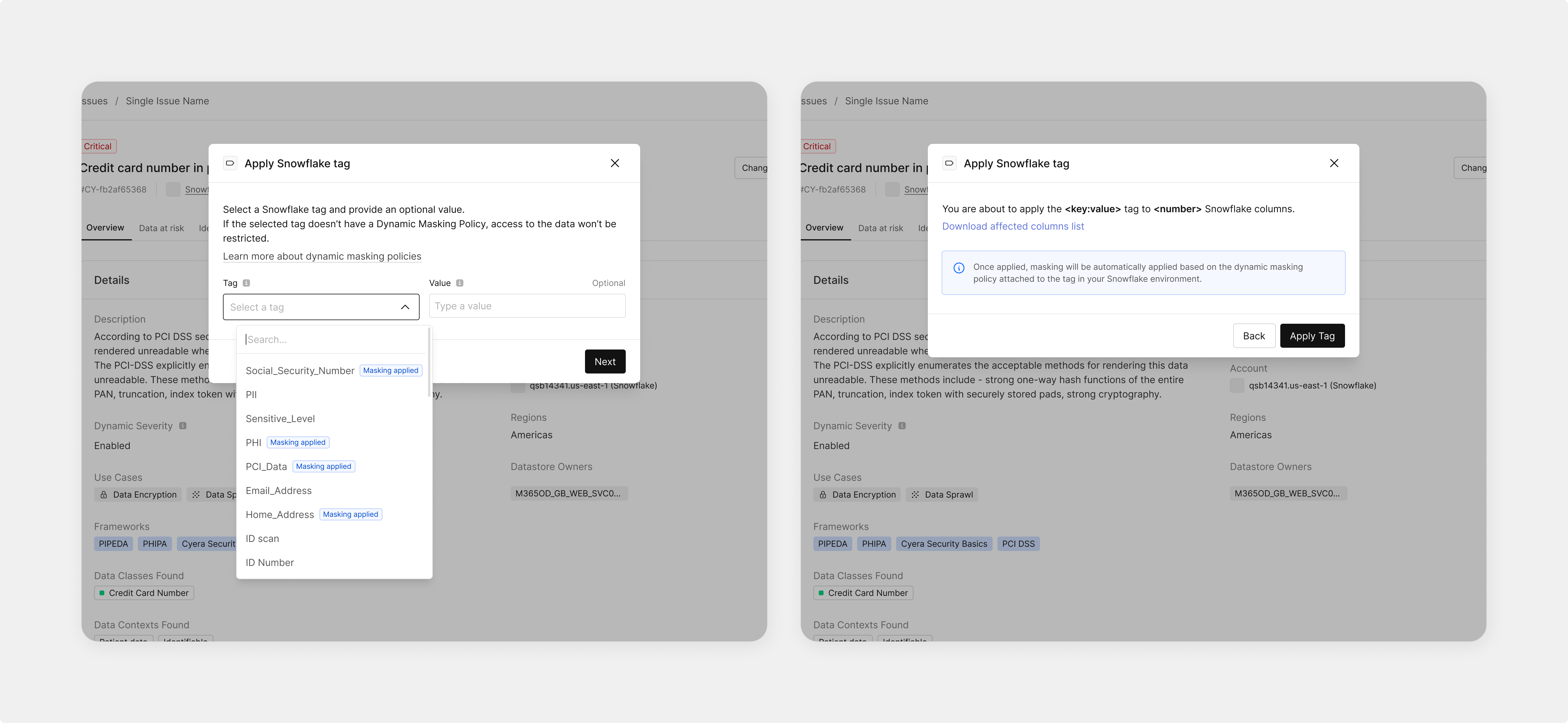
I integrated Snowflake's native tagging directly into Cyera's existing policy builder — allowing users to map security categories to data columns for automated detection and masking. The policy becomes the configuration layer between Snowflake's tagging system and Cyera's remediation engine.
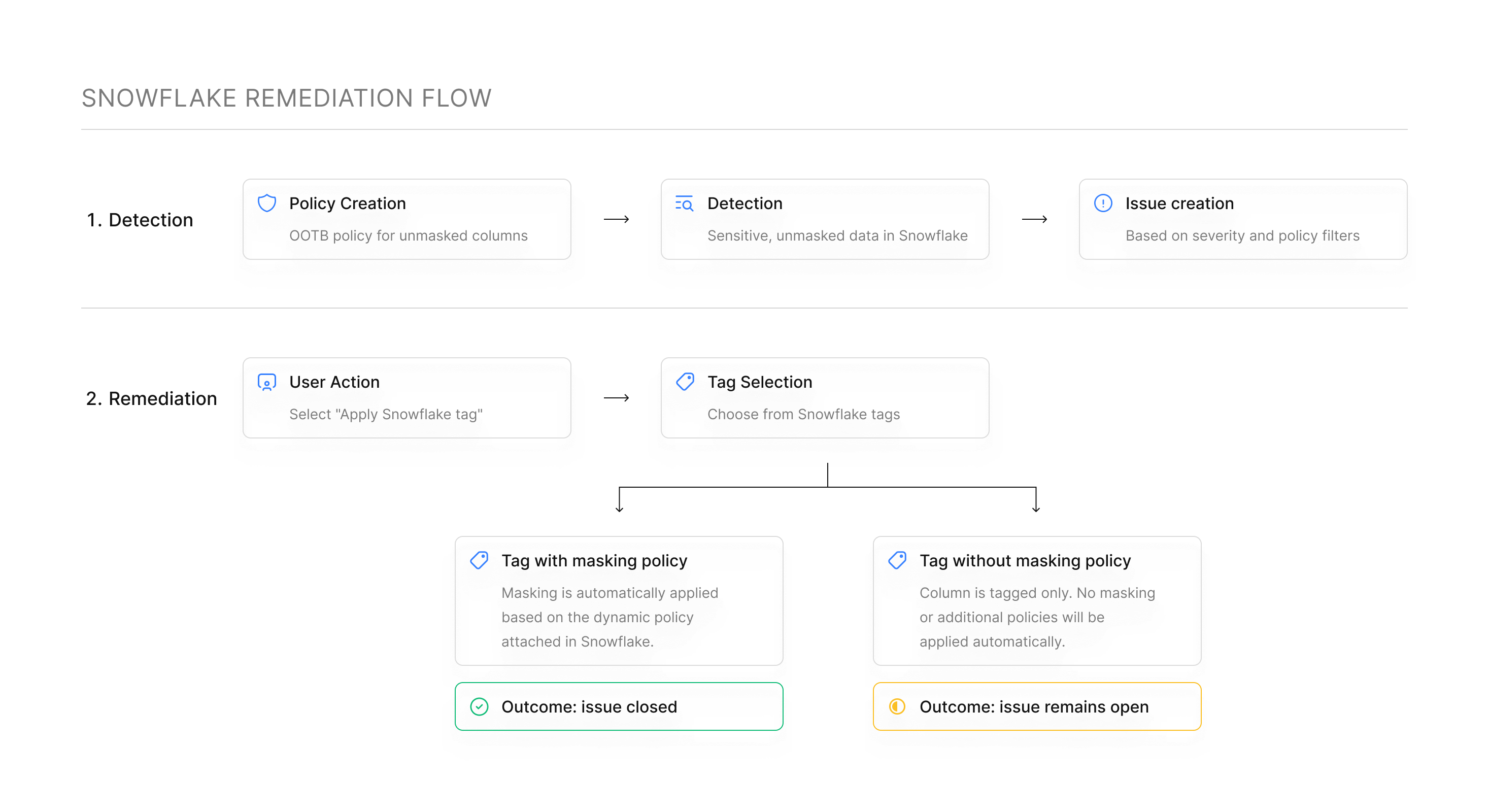
2. Actionable Issues and Remediation Flow
Issues are tied to specific columns - making risks clear and localized. Users can take direct action on affected data with minimal friction. The remediation action is elevated as the primary interaction, not buried in a dropdown.
3. System Feedback
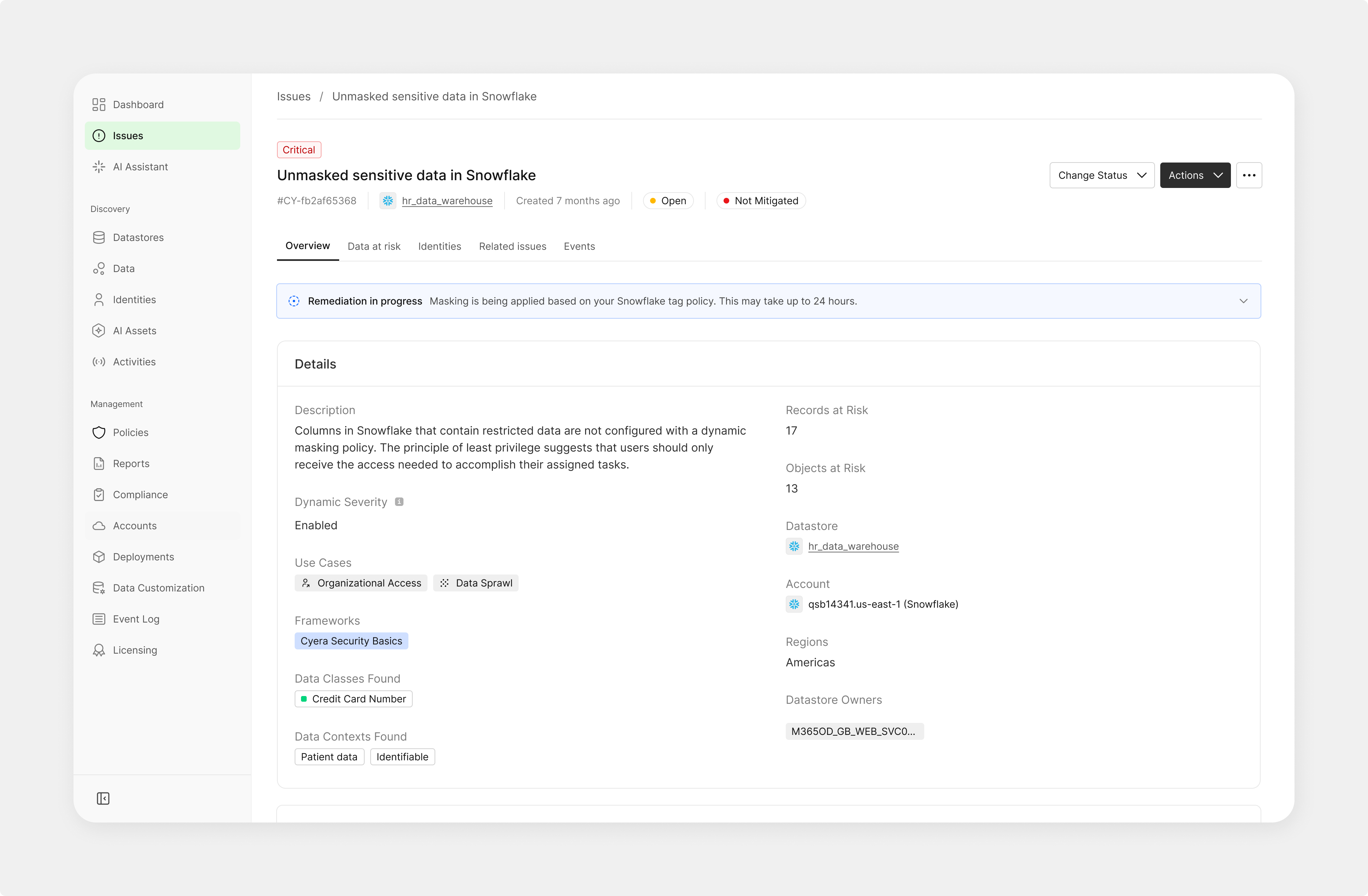
A feedback loop communicates remediation progress and status
- Reduced remediation steps from a multi-tool manual process to a single in-product action
- Addressed a highly requested customer need
- Improved alignment with Snowflake-native workflows
- Enabled faster, more precise remediation